Defining a set of correct discount factors and forward rates is the cornerstone of valuing any Libor-based products. As we know, calculation of present value for a Libor cash flow seems to be almost too easy : first define a cash flow happening in the future by using forward rates, then use discount factors to get present value for that cash flow. Then we also know, that the real deal is always getting those forward rates and discount factors from somewhere, in the first place.
For the task described above, we usually have our front office system or tools provided by some third-party vendor, which are then performing all those required complex calculations quietly behind the scenes. Figures are popping up in the screen, finding their way into some strange reports and everyone are happy. Needless to say, we should be able to perform those calculations also by hand, if so required. This is only my personal opinion on the matter, of course. During this small project, we are creating a program, which takes in market data as input parameter. From this market data, the program is then performing all those complex calculations (bootstrapping, interpolations) and returning discount factors and simply-compounded Libor forward rates.
CURVOLOGY
When constructing discount factors and forward rates from market data, one has to make a lot of different decisions. Just for an example
- How to construct short-end of the curve? For what maturities are we going to use cash securities?
- How to construct mid-part of the curve? Are we using futures contracts on Libor or Forward Rate Agreements?
- Are we going to make adjustments for convexity effect?
- How to construct long-end of the curve? For what maturity we start to use swap rates?
- What kind of interpolation methods are we going to use?
- Do we interpolate discount factors or spot rates?
Due to this high degrees of freedom embedded in this task, it should not be a miracle, that two persons (given the same set of market data) most probably will end up having completely different set of discount factors and forward rates. As I have been studying this topic and getting a bit more familiar with the methods and procedures used by some well-known authors, I have personally come to the conclusion that there are some common guidelines and general conventions, but absolutely not any one universally correct way to do this task.
MARKET DATA
For this project, I have been using dataset and curve creation procedures as presented in
Richard Flavell's excellent book
Swaps and Other Derivatives. In this book, Flavell is giving complete treatment, how to construct Libor zero curve (discount factors and forward rates). One of the things why I like so much this book is the fact, that Flavell is not assuming anything. Instead, he is always deriving everything from the beginning. Great thing is also, that the book has all the example calculations dissected in the attached Excel workbooks. Personally, these Excels have been sort of a goldmine for me, when I have been studying different valuation issues.
PROJECT OUTCOME
The result of this project is XLL addin for Excel, which calculates discount factors and simply-compounded forward rates for USD Libor. We will use
Excel-DNA for interfacing our C# program with Excel. The scheme what has been used for this project, has been fully explained in
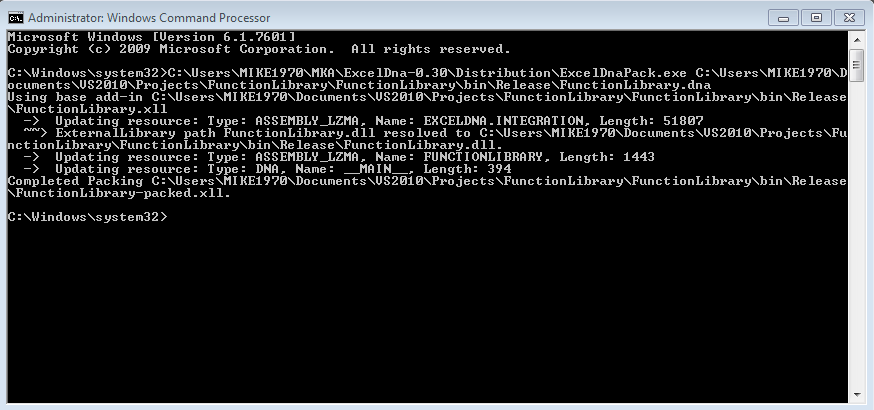
this blog post. So, carefully follow the instructions given in that post, when interfacing the program with Excel. Needless to say, one should be able to use the core classes of the program (the classes which are actually creating the curves) in any other C# project, without Excel interfacing.
PROGRAM DESIGN
Rough UML class diagram for this program is shown below. The purpose of this diagram is to get some conceptual overview, how the program is working and how the objects are related with each other. Since I am not UML expert, I am presenting my deepest apologies for its incompleteness and possible errors.
In the first stage, Client (CreateUSDLiborCurves, which will be presented in the section Excel Interfacing) is requesting ExcelBuilder (specialization of abstract MarketDataBuilder) to build market data and return it as a CurveData object. Then, Client is creating and using USDLiborZeroCurve object (implementation of ICurve interface). Inside USDLiborZeroCurve object, the curves (discount factors and forward rates) are going to be created in different types of sequential calculations (data checking, data selection, bootstrapping, interpolation). Finally, Client is requesting ExcelPrinter (specialization of abstract CurvePrinter) object to print the resulting dataset into Excel worksheet. During the calculation process, USDLiborZeroCurve is also using two static classes (DateConvention and Interpolation, not shown in UML diagram), which contains different types of date-related and interpolation-related methods.
THE PROGRAM
The part of the program, which is creating the outcome curves (discount factors and forward rates), is shown below. Create a new Class project and just copyPaste everything into a new cs-file.
using System;
using System.Collections;
using System.Collections.Generic;
using System.Linq;
using ExcelDna.Integration;
namespace CurveAddin
{
//
// public enumerators and delegate methods
public enum ENUM_MARKETDATATYPE { CASH = 1, FRA = 2, FUTURE = 3, SWAP = 4, DF = 5, SPOTRATE = 6, FORWARDRATE = 7 }
public enum ENUM_PERIODTYPE { MONTHS = 1, YEARS = 2 }
public delegate double DayCountFactor(DateTime start, DateTime end);
public delegate DateTime AddPeriod(DateTime start, ENUM_PERIODTYPE periodType, int period);
public delegate double Interpolator(DayCountFactor dayCountFactor, Dictionary<DateTime, double> data, DateTime key);
public delegate double ConvexityAdjustment(double rateVolatility, double start, double end);
//
//
// class hierarchy for curve printer
public abstract class CurvePrinter
{
public abstract void Print();
}
public class ExcelPrinter : CurvePrinter
{
private static dynamic Excel;
private dynamic[,] data;
public ExcelPrinter(dynamic[,] data)
{
this.data = data;
}
public override void Print()
{
// Create Excel application
Excel = ExcelDnaUtil.Application;
//
// clear old data from output range, resize output range
// and finally print data to Excel worksheet
Excel.Range["_USDLiborZeroCurve"].CurrentRegion = "";
Excel.Range["_USDLiborZeroCurve"].Resize[data.GetLength(0), data.GetLength(1)] = data;
}
}
//
//
// class hierarchy for market data builder
public abstract class MarketDataBuilder
{
public abstract CurveData Build();
}
public class ExcelBuilder : MarketDataBuilder
{
private static dynamic Excel;
private DateTime settlementDate;
public DateTime SettlementDate { get { return this.settlementDate; } }
//
public override CurveData Build()
{
// Create Excel application
Excel = ExcelDnaUtil.Application;
//
// read settlement date from Excel worksheet
settlementDate = DateTime.FromOADate((double)Excel.Range("_settlementDate").Value2);
//
// read source security data from Excel worksheet
object[,] ExcelSourceData = (object[,])Excel.Range["_marketData"].CurrentRegion.Value2;
//
// create curve data object from source security data
CurveData marketData = new CurveData(Interpolation.LinearInterpolation);
int rows = ExcelSourceData.GetUpperBound(0);
for (int i = 1; i <= rows; i++)
{
DateTime maturity = DateTime.FromOADate((double)ExcelSourceData[i, 1]);
double rate = (double)ExcelSourceData[i, 2];
string instrumentType = ((string)ExcelSourceData[i, 3]).ToUpper();
ENUM_MARKETDATATYPE marketDataType = (ENUM_MARKETDATATYPE)Enum.Parse(typeof(ENUM_MARKETDATATYPE), instrumentType);
marketData.AddCurveDataElement(maturity, rate, marketDataType);
}
return marketData;
}
}
//
//
// interface for all curve objects
public interface ICurve
{
void Create();
double GetDF(DateTime maturity);
double GetFWD(DateTime start);
Dictionary<DateTime, double> GetDF(DateTime start, int nYears);
Dictionary<DateTime, double> GetFWD(DateTime start, int nYears);
CurveData DiscountCurve { get; }
CurveData ForwardCurve { get; }
}
//
// implementation for USD Libor curve
public class USDLiborZeroCurve : ICurve
{
public readonly DayCountFactor dayCountFactor;
public readonly AddPeriod addPeriod;
public readonly int basis;
public readonly Interpolator interpolator;
public readonly DateTime settlementDate;
public CurveData DiscountCurve { get { return this.discountCurve; } }
public CurveData ForwardCurve { get { return this.forwardCurve; } }
//
private CurveData marketData;
private CurveData curveDataSelection;
private CurveData bootstrapCurve;
private CurveData spotCurve;
private CurveData discountCurve;
private CurveData forwardCurve;
private int nCash;
private int nFuturesOrFRAs;
private bool adjustmentForConvexity;
private ConvexityAdjustment convexityAdjustment;
private double rateVolatility;
//
public USDLiborZeroCurve(CurveData marketData, Interpolator interpolator, AddPeriod addPeriod,
DayCountFactor dayCountFactor, DateTime settlementDate, int nCash, int nFuturesOrFRAs,
bool adjustmentForConvexity = false, ConvexityAdjustment convexityAdjustment = null, double rateVolatility = 0.0)
{
this.marketData = marketData;
this.interpolator = interpolator;
this.addPeriod = addPeriod;
this.dayCountFactor = dayCountFactor;
this.settlementDate = settlementDate;
this.nCash = nCash;
this.nFuturesOrFRAs = nFuturesOrFRAs;
this.basis = 3; // HARD-CODED !! for USD Libor curve
this.adjustmentForConvexity = adjustmentForConvexity; // optional parameter
this.convexityAdjustment = convexityAdjustment; // optional parameter
this.rateVolatility = rateVolatility; // optional parameter
}
public void Create()
{
// sequence of private methods for creating spot discount curve and
// simply-compounded forward rate curve for a given set of market data
checkMarketData();
selectCurveData();
bootstrapDiscountFactors();
createSpotCurve();
createDiscountCurve();
createForwardCurve();
}
// get discount factor for a given maturity date
public double GetDF(DateTime maturity)
{
return discountCurve.GetMarketRate(ENUM_MARKETDATATYPE.DF, maturity, dayCountFactor);
}
// get dictionary consisting of date and discount factor for a date schedule
public Dictionary<DateTime, double> GetDF(DateTime start, int nYears)
{
List<DateTime> schedule = DateConvention.CreateDateSchedule(start, nYears, basis, ENUM_PERIODTYPE.MONTHS, addPeriod);
Dictionary<DateTime, double> curve = new Dictionary<DateTime, double>();
schedule.ForEach(it => curve.Add(it, GetDF(it)));
return curve;
}
// get simply-compounded forward rate for a given start date
public double GetFWD(DateTime start)
{
return forwardCurve.GetMarketRate(ENUM_MARKETDATATYPE.FORWARDRATE, start, dayCountFactor);
}
// get dictionary consisting of date and simply-compounded forward rate for a date schedule
public Dictionary<DateTime, double> GetFWD(DateTime start, int nYears)
{
List<DateTime> schedule = DateConvention.CreateDateSchedule(start, nYears, basis, ENUM_PERIODTYPE.MONTHS, addPeriod);
Dictionary<DateTime, double> curve = new Dictionary<DateTime, double>();
schedule.ForEach(it => curve.Add(it, GetFWD(it)));
return curve;
}
// use interpolated spot discount factor curve for calculating
// simply-compounded forward rates for all required maturities (basis)
// note : maturity element of the forward curve stores the information
// on when the 3-month period starts for a given forward rate element
private void createForwardCurve()
{
forwardCurve = new CurveData(interpolator);
int n = discountCurve.Count();
DateTime maturity;
double dt = 0.0;
double fdf = 0.0;
double f = 0.0;
//
for (int i = 0; i < n; i++)
{
if (i == 0)
{
// first forward rate is the first spot rate
maturity = discountCurve[i].MaturityDate;
fdf = discountCurve[i].Rate;
dt = dayCountFactor(settlementDate, maturity);
f = ((1 / fdf) - 1) / dt;
forwardCurve.AddCurveDataElement(settlementDate, f, ENUM_MARKETDATATYPE.FORWARDRATE);
}
else
{
// other forward rates are calculated recursively
// from previous spot discount factors
maturity = discountCurve[i].MaturityDate;
DateTime previousMaturity = discountCurve[i - 1].MaturityDate;
fdf = discountCurve[i].Rate / discountCurve[i - 1].Rate;
dt = dayCountFactor(previousMaturity, maturity);
f = ((1 / fdf) - 1) / dt;
forwardCurve.AddCurveDataElement(previousMaturity, f, ENUM_MARKETDATATYPE.FORWARDRATE);
}
}
}
// use continuously compounded spot rate curve for interpolating
// continuously compounded spot rates for all required maturities
// and convert these spot rates back to spot discount factors
private void createDiscountCurve()
{
discountCurve = new CurveData(interpolator);
DateTime finalCurveDate = spotCurve.ElementAt(spotCurve.Count() - 1).MaturityDate;
DateTime t;
int counter = 0;
double dt = 0.0;
double r = 0.0;
double df = 0.0;
//
do
{
counter++;
t = addPeriod(settlementDate, ENUM_PERIODTYPE.MONTHS, basis * counter);
dt = dayCountFactor(settlementDate, t);
r = spotCurve.GetMarketRate(ENUM_MARKETDATATYPE.SPOTRATE, t, dayCountFactor);
df = Math.Exp(-r * dt);
discountCurve.AddCurveDataElement(t, df, ENUM_MARKETDATATYPE.DF);
} while (t < finalCurveDate);
}
// create continuously compounded spot rate curve
// from bootstrapped discount factors
private void createSpotCurve()
{
spotCurve = new CurveData(interpolator);
double t = 0.0;
double r = 0.0;
int n = bootstrapCurve.Count();
for (int i = 0; i < n; i++)
{
t = dayCountFactor(settlementDate, bootstrapCurve.ElementAt(i).MaturityDate);
r = -Math.Log(bootstrapCurve.ElementAt(i).Rate) / t;
spotCurve.AddCurveDataElement(bootstrapCurve.ElementAt(i).MaturityDate, r, ENUM_MARKETDATATYPE.SPOTRATE);
}
}
// use bootstrap algorithm to create spot discount factors
// from all selected curve data elements
private void bootstrapDiscountFactors()
{
bootstrapCurve = new CurveData(interpolator);
double dt = 0.0;
double r = 0.0;
double df = 0.0;
double Q = 0.0;
int n = curveDataSelection.Count();
//
for (int i = 0; i < n; i++)
{
if (curveDataSelection[i].InstrumentType == ENUM_MARKETDATATYPE.CASH)
{
dt = dayCountFactor(settlementDate, curveDataSelection[i].MaturityDate);
r = curveDataSelection[i].Rate;
df = 1 / (1 + r * dt);
bootstrapCurve.AddCurveDataElement(curveDataSelection[i].MaturityDate, df, ENUM_MARKETDATATYPE.DF);
}
if ((curveDataSelection[i].InstrumentType == ENUM_MARKETDATATYPE.FRA) |
(curveDataSelection[i].InstrumentType == ENUM_MARKETDATATYPE.FUTURE))
{
dt = dayCountFactor(curveDataSelection[i - 1].MaturityDate, curveDataSelection[i].MaturityDate);
r = curveDataSelection[i].Rate;
df = bootstrapCurve.ElementAt(i - 1).Rate / (1 + r * dt);
bootstrapCurve.AddCurveDataElement(curveDataSelection[i].MaturityDate, df, ENUM_MARKETDATATYPE.DF);
//
if ((curveDataSelection[i + 1].InstrumentType == ENUM_MARKETDATATYPE.SWAP))
Q += bootstrapCurve.ElementAt(i).Rate * dayCountFactor(settlementDate, curveDataSelection[i].MaturityDate);
}
//
if (curveDataSelection[i].InstrumentType == ENUM_MARKETDATATYPE.SWAP)
{
r = curveDataSelection[i].Rate;
dt = dayCountFactor(bootstrapCurve.ElementAt(i - 1).MaturityDate, curveDataSelection[i].MaturityDate);
df = (1 - r * Q) / (r * dt + 1);
bootstrapCurve.AddCurveDataElement(curveDataSelection[i].MaturityDate, df, ENUM_MARKETDATATYPE.DF);
Q += (df * dt);
}
}
}
// select rate instruments to be used from a given set of curve data elements
private void selectCurveData()
{
curveDataSelection = new CurveData(interpolator);
int counter = 0;
double rate = 0.0;
DateTime maturityDate;
//
// select cash securities
for (int i = 1; i <= nCash; i++)
{
counter++;
maturityDate = addPeriod(settlementDate, ENUM_PERIODTYPE.MONTHS, basis * counter);
// check if cash rate for required maturity exists
if (!marketData.ElementLookup(ENUM_MARKETDATATYPE.CASH, maturityDate))
throw new Exception("USDLiborZeroCurve error : required cash securities are missing");
rate = marketData.GetMarketRate(ENUM_MARKETDATATYPE.CASH, maturityDate, dayCountFactor);
curveDataSelection.AddCurveDataElement(maturityDate, rate, ENUM_MARKETDATATYPE.CASH);
}
// select fra or futures contracts
if (marketData.ElementLookup(ENUM_MARKETDATATYPE.FRA))
{
for (int i = 1; i <= nFuturesOrFRAs; i++)
{
if (i > 1) counter++;
maturityDate = addPeriod(settlementDate, ENUM_PERIODTYPE.MONTHS, basis * counter);
// check if fra rate for required maturity exists
if (!marketData.ElementLookup(ENUM_MARKETDATATYPE.FRA, maturityDate))
throw new Exception("USDLiborZeroCurve error : required FRA contracts are missing");
rate = marketData.GetMarketRate(ENUM_MARKETDATATYPE.FRA, maturityDate, dayCountFactor);
curveDataSelection.AddCurveDataElement(addPeriod(maturityDate, ENUM_PERIODTYPE.MONTHS, basis), rate, ENUM_MARKETDATATYPE.FRA);
}
}
else
{
for (int i = 1; i <= nFuturesOrFRAs; i++)
{
if (i > 1) counter++;
maturityDate = addPeriod(settlementDate, ENUM_PERIODTYPE.MONTHS, basis * counter);
// check if implied futures rate for required maturity exists
if (!marketData.ElementLookup(ENUM_MARKETDATATYPE.FUTURE, maturityDate))
throw new Exception("USDLiborZeroCurve error : required futures contracts are missing");
rate = marketData.GetMarketRate(ENUM_MARKETDATATYPE.FUTURE, maturityDate, dayCountFactor);
//
// forward rate = futures rate - convexity adjustment
if (adjustmentForConvexity)
{
double t1 = dayCountFactor(settlementDate, maturityDate);
double t2 = t1 + (basis / 12.0);
rate -= convexityAdjustment(rateVolatility, t1, t2);
}
curveDataSelection.AddCurveDataElement(addPeriod(maturityDate, ENUM_PERIODTYPE.MONTHS, basis), rate, ENUM_MARKETDATATYPE.FUTURE);
}
}
// select swap contracts
DateTime lastSwapYear = marketData[marketData.Count() - 1].MaturityDate;
DateTime lastFRAOrFutureYear = curveDataSelection[curveDataSelection.Count() - 1].MaturityDate;
int nSwaps = (lastSwapYear.Year - lastFRAOrFutureYear.Year);
for (int i = 1; i <= nSwaps; i++)
{
counter++;
maturityDate = addPeriod(settlementDate, ENUM_PERIODTYPE.YEARS, i + 1);
// check if swap rate for required maturity exists
if (!marketData.ElementLookup(ENUM_MARKETDATATYPE.SWAP, maturityDate))
throw new Exception("USDLiborZeroCurve error : required swap contracts are missing");
rate = marketData.GetMarketRate(ENUM_MARKETDATATYPE.SWAP, maturityDate, dayCountFactor);
curveDataSelection.AddCurveDataElement(maturityDate, rate, ENUM_MARKETDATATYPE.SWAP);
}
}
// rough diagnostics : check for completely non-existing market data
// requirement : all three rate categories (cash, FRA/futures, swaps)
// must be provided by the client in order to create the curves
private void checkMarketData()
{
// cash securities
if (!marketData.ElementLookup(ENUM_MARKETDATATYPE.CASH))
throw new Exception("LiborZeroCurve error : cash securities are required to build the curve");
//
// fra/futures contracts
if ((!marketData.ElementLookup(ENUM_MARKETDATATYPE.FUTURE)) && (!marketData.ElementLookup(ENUM_MARKETDATATYPE.FRA)))
throw new Exception("LiborZeroCurve error : FRA or futures contracts are required to build the curve");
//
// swap contracts
if (!marketData.ElementLookup(ENUM_MARKETDATATYPE.SWAP))
throw new Exception("LiborZeroCurve error : swap contracts are required to build the curve");
}
}
//
//
// container class for holding multiple curve data elements
public class CurveData : IEnumerable<CurveDataElement>
{
private List<CurveDataElement> curveDataElements;
private Interpolator interpolator;
//
public CurveData(Interpolator interpolator)
{
this.interpolator = interpolator;
curveDataElements = new List<CurveDataElement>();
}
public void AddCurveDataElement(DateTime maturity, double rate, ENUM_MARKETDATATYPE instrumentType)
{
curveDataElements.Add(new CurveDataElement(maturity, rate, instrumentType));
}
public void AddCurveDataElement(CurveDataElement curveDataElement)
{
curveDataElements.Add(curveDataElement);
}
// implementation for generic IEnumerable
public IEnumerator<CurveDataElement> GetEnumerator()
{
foreach (CurveDataElement curveDataElement in curveDataElements)
{
yield return curveDataElement;
}
}
// implementation for non-generic IEnumerable
IEnumerator IEnumerable.GetEnumerator()
{
return GetEnumerator();
}
// read-only indexer
public CurveDataElement this[int index]
{
get
{
return curveDataElements[index];
}
}
public double GetMarketRate(ENUM_MARKETDATATYPE instrumentType, DateTime maturity, DayCountFactor dayCountFactor)
{
// filter required market data elements by instrument type
List<CurveDataElement> group = curveDataElements.Where(it => it.InstrumentType == instrumentType).ToList<CurveDataElement>();
//
// extract maturity and rate into dictionary object
Dictionary<DateTime, double> data = new Dictionary<DateTime, double>();
group.ForEach(it => data.Add(it.MaturityDate, it.Rate));
//
// get market rate for a given date by using given interpolation delegate method
return interpolator(dayCountFactor, data, maturity);
}
// check if elements with specific instrument type and maturity exists
public bool ElementLookup(ENUM_MARKETDATATYPE instrumentType, DateTime maturity)
{
// first, filter required market data elements
List<CurveDataElement> group = curveDataElements.Where(it => it.InstrumentType == instrumentType).ToList<CurveDataElement>();
//
// then, check if maturity lies between min and max maturity of filtered group
bool hasElement = ((maturity >= group.Min(it => it.MaturityDate)) && (maturity <= group.Max(it => it.MaturityDate)));
return hasElement;
}
// check if elements with only specific instrument type exists
public bool ElementLookup(ENUM_MARKETDATATYPE instrumentType)
{
int elements = curveDataElements.Count(it => it.InstrumentType == instrumentType);
bool hasElements = false;
if (elements > 0) hasElements = true;
return hasElements;
}
}
//
//
// class holding information on one curve data element
public class CurveDataElement
{
private DateTime maturityDate;
private double rate;
private ENUM_MARKETDATATYPE rateType;
//
public DateTime MaturityDate { get { return this.maturityDate; } }
public double Rate { get { return this.rate; } }
public ENUM_MARKETDATATYPE InstrumentType { get { return this.rateType; } }
//
public CurveDataElement(DateTime maturity, double rate, ENUM_MARKETDATATYPE rateType)
{
this.maturityDate = maturity;
this.rate = rate;
this.rateType = rateType;
}
}
//
//
// static library class for handling date-related convention calculations
public static class DateConvention
{
// calculate time difference between two dates by using ACT/360 convention
public static double ACT360(DateTime start, DateTime end)
{
return (end - start).TotalDays / 360;
}
// create a list of scheduled dates for a given basis and date convention
public static List<DateTime> CreateDateSchedule(DateTime start, int nYears, int basis,
ENUM_PERIODTYPE periodType, AddPeriod addPeriod)
{
List<DateTime> schedule = new List<DateTime>();
int nPeriods = nYears * (12 / basis);
for (int i = 1; i <= nPeriods; i++)
{
schedule.Add(addPeriod(start, periodType, (basis * i)));
}
return schedule;
}
// add period into a given date by using modified following convention
public static DateTime AddPeriod_ModifiedFollowing(DateTime start, ENUM_PERIODTYPE periodType, int period)
{
DateTime dt = new DateTime();
//
switch (periodType)
{
case ENUM_PERIODTYPE.MONTHS:
dt = start.AddMonths(period);
break;
case ENUM_PERIODTYPE.YEARS:
dt = start.AddYears(period);
break;
}
//
switch (dt.DayOfWeek)
{
case DayOfWeek.Saturday:
dt = dt.AddDays(2.0);
break;
case DayOfWeek.Sunday:
dt = dt.AddDays(1.0);
break;
}
return dt;
}
// calculate value for convexity adjustment for a given time period
public static double SimpleConvexityApproximation(double rateVolatility, double start, double end)
{
return 0.5 * (rateVolatility * rateVolatility * start * end);
}
}
//
//
// static library class for storing interpolation methods to be used by delegates
public static class Interpolation
{
public static double LinearInterpolation(DayCountFactor dayCountFactor,
Dictionary<DateTime, double> data, DateTime key)
{
double value = 0.0;
int n = data.Count;
//
// boundary checkings
if ((key < data.ElementAt(0).Key) || (key > data.ElementAt(data.Count - 1).Key))
{
if (key < data.ElementAt(0).Key) throw new Exception("Interpolation error : lower bound violation");
if (key > data.ElementAt(data.Count - 1).Key) throw new Exception("Interpolation error : upper bound violation");
}
else
{
// iteration through all existing elements
for (int i = 0; i < n; i++)
{
if ((key >= data.ElementAt(i).Key) && (key <= data.ElementAt(i + 1).Key))
{
double t = dayCountFactor(data.ElementAt(i).Key, data.ElementAt(i + 1).Key);
double w = dayCountFactor(data.ElementAt(i).Key, key) / t;
value = data.ElementAt(i).Value * (1 - w) + data.ElementAt(i + 1).Value * w;
break;
}
}
}
return value;
}
}
}
EXCEL INTERFACING
For interfacing the previous C# program with Excel, carefully follow all the instructions given in
this blog post. Add another Class module (a new cs-file) into this project and copyPaste the following program into this file. This is the program (CreateUSDLiborCurves), which will be called from our Excel worksheet.
using System;
using System.Collections.Generic;
using System.Linq;
using System.Text;
using System.Windows.Forms;
using ExcelDna.Integration;

namespace CurveAddin
{
    public static class CurveAddin
    {
        public static void CreateUSDLiborCurves()
        {
            try
            {
                // build market data from Excel worksheet
                MarketDataBuilder builder = new ExcelBuilder();
                CurveData marketData = builder.Build();
                DateTime settlementDate = ((ExcelBuilder)builder).SettlementDate;
                //
                // construct USD Libor curve object
                // HARD-CODED parameters :
                // interpolation method, date conventions, number of contracts for cash (n=1) and futures (n=3)
                ICurve curve = new USDLiborZeroCurve(marketData, Interpolation.LinearInterpolation,
                    DateConvention.AddPeriod_ModifiedFollowing, DateConvention.ACT360, settlementDate, 1, 3);
                curve.Create();
                //
                // read discount factor and forward rate data into 2d-array
                int rows = curve.DiscountCurve.Count();
                int cols = 3;
                dynamic[,] data = new dynamic[rows, cols];
                for (int i = 0; i < rows; i++)
                {
                    data[i, 0] = curve.DiscountCurve[i].MaturityDate.ToOADate();
                    data[i, 1] = curve.DiscountCurve[i].Rate;
                    data[i, 2] = curve.ForwardCurve[i].Rate;
                }
                //
                // print curve data into Excel worksheet
                (new ExcelPrinter(data)).Print();
            }
            catch (Exception e)
            {
                MessageBox.Show(e.Message);
            }
        }
    }
}
EXCEL WORKSHEET SETTINGS
Prepare the following market data (Flavell's book and Excel workbook on chapter three) and named ranges (marked with yellow color) into Excel worksheet. The program will take settlement date and market data range (date, rate, rate type) as input parameters. Note, that some of the parameters needed to create the curves have been hard-coded in the program (interpolation method, date conventions, number of contracts for cash and futures). However, it should be fairly straightforward to include all these parameters to be read directly from Excel worksheet. Finally, insert a form control button into worksheet and assign a macro for it (CreateUSDLiborCurves).

Finally, a couple of notes concerning the market data setting. When creating Curve object, Client has to provide number of cash securities and number futures/FRA contracts as input parameters in constructor. Example program has been hard-coded to use one cash security and three futures contracts and it will hereby use Libor swap contracts starting on the year two. Now, for setting market data for this program, there are some general rules. First, the latest maturity for cash securities has to be later than the first maturity for futures/FRA contracts. Also, the last future/FRA maturity has to be later than the first swap contract maturity date minus one year.
TEST RUN
After I press button in my Excel, I will get the following results (columns H to J) from the program. The range consists of dates (quarterly up to 8.2.2038), discount factors and simply-compounded Libor forward rates for USD. The first result row should be interpreted as follows : discount factor (0.99220) gives factor for discounting three-month cash flow. Simply-compounded Libor forward rate (3.1450 %) gives three-month forward rate for a period, which is starting on 6.2.2008 and ending 6.5.2008. Similarly, Libor forward rate (2.7837 %) gives three-month forward rate for a period, which is starting on 6.5.2008 and ending 6.8.2008.
After this, using generated curves (discount factors and forward rates) is straightforward. As an example, I have calculated PV for 2-year cap on 3-month USD Libor. After creating date schedule for this security, getting forward rates and discount factors can be requested by using familiar Excel worksheet functions.
AFTERTHOUGHTS
The procedure of creating discount factors and Libor forward rates programmatically in C#, has been fully opened in this blog post. Source market data and creation procedures are following examples taken from the book written by
Richard Flavell. With the tools presented in this blog, one should also be able to interface this program with Excel, if so desired.
I would like to thank Govert Van Drimmelen again for his amazing Excel-DNA, what I am always using for interfacing my C# program with Excel. For learning more things about Excel-DNA, check out its
homepage. Getting more information and examples with your problems, the main source is
Excel-DNA google group. Remember also, that Excel-DNA is an open-source project, and we (the happy users) can invest
its future development by making a donation.
Finally, Thanks for spending your precious time in here and reading my blog.
-Mike Juniperhill